You probably type your card number into a website a dozen times a month. A streaming service, a broadband add-on, a one-off order from a shop you had never heard of until last Tuesday. Each time, that number ends up stored somewhere you have no control over. A virtual card is one of the simplest ways to limit the damage if one of those places is breached.
What is a virtual card?
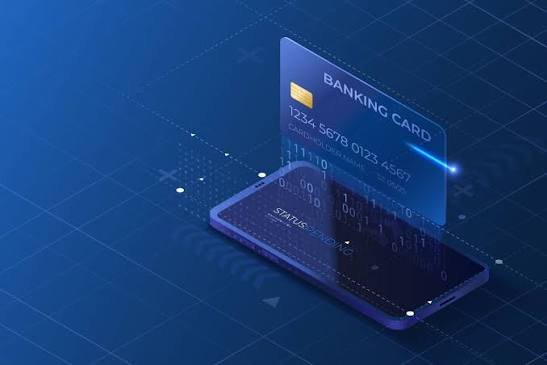
A virtual card is a payment card that exists only in digital form. It has its own 16-digit number, expiry date and security code, just like a plastic card, but you never receive a physical version. You use it for online payments, subscriptions and, with some providers, mobile wallets.
The key point is that a virtual card’s number is different from your main card’s number. Retailers see and store the virtual details, not the details of the account where your money actually sits.
How virtual cards protect you online
A breach does not expose your main account
If a retailer’s database is hacked, criminals get the virtual card number. You freeze or delete that card in an app, create a new one and carry on. Your main card, your direct debits and your salary account are untouched, and you are not waiting a week for a replacement card in the post.
Spending limits
Most virtual card services let you cap how much each card can spend. Put a £15 limit on the card you use for a streaming service, and nobody can run up £500 on it, even with the full card details.
One card per company
New cards take seconds to create, so you can give every company its own. If an odd charge appears, you know exactly which company leaked the number, and you only have to shut down that one card.
Control over subscriptions
Free trials that quietly turn into paid plans are a classic problem. Pay for a trial with a virtual card and you can freeze it the day the trial ends. If the company tries to charge you, the payment simply fails.
3D Secure still applies
Many virtual cards support 3D Secure, the extra check (usually an app notification or a one-time code) that UK banks use for online payments. So you get the usual verification on top of the separate number.
Types of virtual cards
- Single-use cards work for one payment and then expire. Useful for one-off purchases from unfamiliar shops.
- Multi-use cards stay active, so they suit subscriptions such as streaming, cloud storage or software.
- Merchant-locked cards only work with the first company that charges them. Anyone else who gets hold of the number cannot use it.
Many UK banking apps now offer some version of this, and there are standalone services built around it, such as Finup virtual cards, which let you create several cards, set a limit on each and freeze any of them instantly.
Where virtual cards are not the right tool
They are not perfect for everything, and it helps to know the gaps before you rely on one:
- In-person payments. Unless the card can be added to Apple Pay or Google Pay, you cannot tap it in a shop.
- Hotels and car hire. Businesses that take a deposit and want to see the card at the desk may not accept a virtual one.
- Refunds after deletion. If you delete a card and later return an item, the refund can take longer to reach you. Keep the card until the return window has closed.
- Merchant restrictions. Some sites block certain card types, so now and then a payment will be declined for reasons that have nothing to do with you.
How to start using a virtual card
- List your regular online payments: streaming, apps, cloud storage, delivery services, broadband extras.
- Create a separate card for each, or at least one for subscriptions and one for one-off shopping.
- Set each limit slightly above the expected charge.
- Name the cards clearly (“Netflix”, “Online shopping”) so odd activity stands out.
- Check your card list once a month and delete anything you no longer use.
Other habits that still matter
A virtual card limits the damage from a leak, but it does not stop phishing. Be wary of texts that claim to come from your bank or a parcel courier, especially ones with links. Avoid paying for things over public Wi-Fi unless you are on a secure connection, keep your phone’s software up to date, and turn on two-factor authentication for every account that stores payment details.
Is a virtual card worth it?
For anyone who pays for several things online each month, yes. Setting one up takes about ten minutes and costs little, and it turns a stolen card number from a stressful afternoon on the phone to your bank into a two-tap fix. Combined with sensible habits, it is one of the easiest security upgrades you can make.