After filing your federal tax return, one of the first questions you’ll likely have is, “Where’s my refund?” If you filed your taxes using TurboTax, you can use its refund tracking feature to monitor the progress of your tax refund.
However, it’s important to understand that while TurboTax helps you track your refund, the IRS is responsible for processing tax returns and issuing refunds. TurboTax displays refund updates based on information provided during the filing process and available IRS status updates.
In this guide, we’ll explain how the TurboTax Refund Tracker works, what each refund status means, typical refund timelines, and what to do if your refund is delayed.
What Is the TurboTax Refund Tracker?
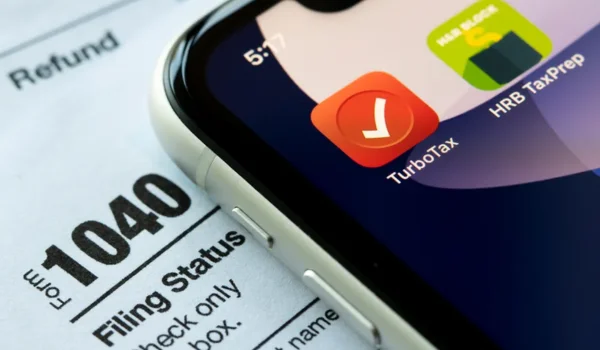
The TurboTax Refund Tracker is a tool that lets users monitor the progress of their federal tax refund after filing a return through TurboTax.
It allows you to:
- Check whether your return was submitted
- Confirm whether the IRS accepted your return
- View your estimated refund amount
- Monitor refund progress
- Receive status updates during processing
The tracker is designed to make it easier to follow your refund without repeatedly checking multiple sources.
How Does the TurboTax Refund Tracker Work?
After you electronically file your tax return, several steps occur before your refund is issued.
The general process is:
- You prepare and submit your tax return through TurboTax.
- TurboTax sends your return electronically to the IRS.
- The IRS reviews and accepts the return.
- The IRS processes the return.
- If you’re due a refund, the IRS issues the payment.
TurboTax updates your filing status as information becomes available, but the IRS controls the actual processing and payment of refunds.
How to Check Your Refund Status in TurboTax
Follow these steps to check your refund status.
Step 1: Sign In
Log in to your TurboTax account using your registered email address and password.
Step 2: Open Your Tax Return
Select the tax return you filed for the applicable tax year.
Step 3: View Refund Status
Navigate to the refund section, where you’ll typically see:
- Filing status
- IRS acceptance status
- Estimated refund amount
- Current refund stage (if available)
Step 4: Monitor Updates
Check periodically for updates as your return moves through the IRS processing system.
Understanding TurboTax Refund Status Messages
You may see different status messages during the refund process.
Return Submitted
Your tax return has been successfully transmitted to the IRS but has not yet been accepted.
Return Accepted
The IRS has accepted your return for processing.
Acceptance does not mean your refund has been approved.
Refund Approved
The IRS has completed its review and approved your refund.
The refund is scheduled to be issued.
Refund Sent
The IRS has sent your refund using the payment method you selected.
Delivery time depends on whether you chose:
- Direct deposit
- Paper check
Additional Review
In some cases, the IRS may need extra time to verify information or review certain items on your return.
This does not automatically mean there’s a problem, but it may delay processing.
How Long Does a Tax Refund Take?
Refund timing depends on several factors, including:
- Whether you filed electronically or by mail
- Whether you selected direct deposit or a paper check
- IRS processing times
- Whether your return requires additional review
Many electronically filed returns with direct deposit are processed more quickly than paper-filed returns, but processing times vary each year and individual circumstances can affect the timeline.
Why Your Refund May Be Delayed
Several factors can delay a federal tax refund.
Common reasons include:
- Errors on the tax return
- Missing information
- Identity verification requirements
- Incorrect banking information
- Fraud prevention reviews
- Additional IRS review
- High filing-season volume
If corrections or verification are needed, the IRS may contact you directly.
TurboTax Refund Tracker vs IRS Refund Status
Many taxpayers wonder whether they should use TurboTax or the IRS to track refunds.
Here’s a comparison:
| Feature | TurboTax Refund Tracker | IRS Refund Status |
| Shows filing progress | ✔ | Limited |
| Confirms IRS acceptance | ✔ | ✔ |
| Shows refund processing | Limited | ✔ |
| Shows refund approval | Limited | ✔ |
| Shows refund payment status | Limited | ✔ |
| Controlled by | TurboTax filing information | IRS processing system |
For the most current information about refund processing and payment, the IRS is generally the authoritative source.
Direct Deposit vs Paper Check
Your refund delivery method affects how quickly you receive your money.
Direct Deposit
Advantages:
- Faster delivery
- Funds deposited directly into your bank account
- Reduced risk of lost or delayed mail
Paper Check
Advantages:
- No bank account required
Considerations:
- Mailing and delivery may take longer
- Risk of postal delays
What If Your Refund Amount Changes?
Sometimes the IRS adjusts the refund amount after reviewing a return.
Possible reasons include:
- Math corrections
- Changes to tax credits
- Outstanding federal or state obligations
- Incorrect calculations on the original return
If the IRS makes changes, it generally sends a notice explaining the adjustment.
Common Refund Tracking Problems
Refund Status Isn’t Updating
Possible causes:
- Recent filing
- IRS processing delays
- High filing-season traffic
Wait a reasonable amount of time before checking again.
Return Still Shows “Submitted”
The IRS may not have accepted your return yet.
Acceptance times vary depending on filing volume and system activity.
Refund Is Smaller Than Expected
The IRS may have adjusted your return after review.
Review any notices you receive for an explanation.
Refund Was Sent but Not Received
If your refund was issued by direct deposit:
- Confirm your bank account information.
- Check with your financial institution regarding pending deposits.
If you selected a paper check:
- Allow additional mailing time before taking further action.
Tips to Receive Your Refund Faster
You may be able to speed up the process by:
- Filing electronically
- Choosing direct deposit
- Double-checking your tax return before filing
- Entering accurate banking information
- Responding promptly to any IRS requests for additional information
While these steps can help reduce delays, they do not guarantee a specific refund date.
Frequently Asked Questions
Does TurboTax send my refund?
No. TurboTax prepares and submits your tax return, but the IRS is responsible for approving and issuing federal tax refunds.
Can I check my refund before the IRS accepts my return?
You can see whether your return has been submitted through TurboTax, but refund processing begins only after the IRS accepts your return.
Why hasn’t my refund arrived yet?
Refund timing varies depending on IRS processing, the accuracy of your return, your payment method, and whether additional review is required.
Does TurboTax update refund information automatically?
TurboTax updates filing and status information as it becomes available. However, refund processing and payment updates ultimately depend on the IRS.
What should I do if my refund is significantly delayed?
Review your TurboTax account for any alerts, check the official IRS refund status tool, and respond promptly if the IRS requests additional information. If the delay continues, you may need to contact the IRS for further assistance.
Final Thoughts
The TurboTax Refund Tracker is a convenient way to monitor your federal tax return after filing. It lets you confirm that your return was submitted and accepted while providing updates throughout the filing process.
Keep in mind that the IRS—not TurboTax—processes tax returns and issues refunds. If your refund takes longer than expected, review your filing information, monitor official IRS updates, and respond quickly to any requests for additional documentation. Filing an accurate return and choosing direct deposit can help make the refund process as smooth as possible.