Every writer knows the frustration of a world that feels vivid in their head but stubbornly stays trapped there, described only in paragraphs. Readers imagine it their own way, and that’s part of the magic of fiction — but sometimes, as a creator, you want to see it too.
An AI-powered image generator gives writers a way to finally look at their world from the outside, turning character descriptions and setting notes into real visual references. Dreamina is especially well-suited to this, handling the kind of imaginative, detail-heavy prompts that fiction demands.
Here’s how to bring your own fictional world into focus.
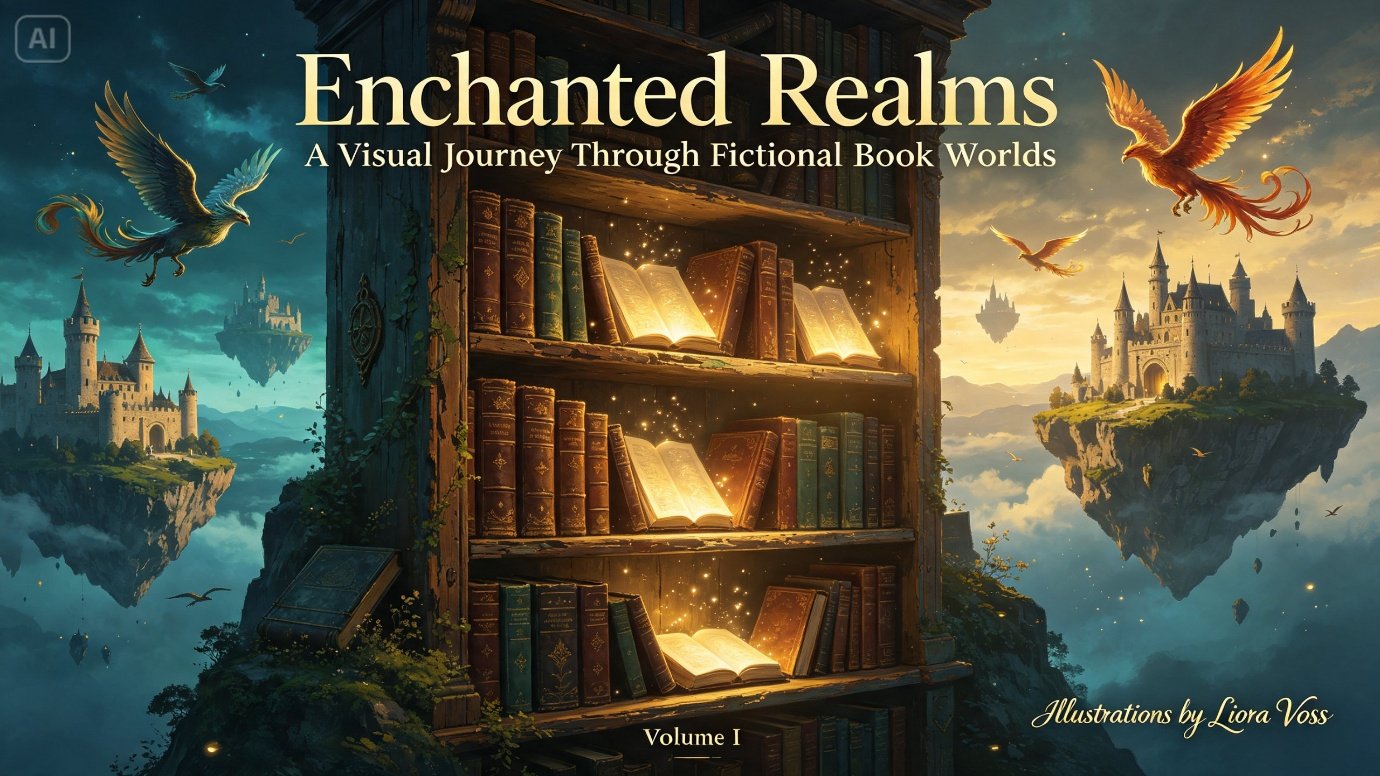
Why visual references change how you write
Once a character or setting has a concrete image attached to it, writing about them tends to get sharper. Small sensory details — the way light hits a character’s armor, the texture of a crumbling tower — become easier to describe because you’re no longer guessing. Visual reference doesn’t replace imagination; it sharpens it.
Starting with your world’s defining mood
Before generating anything, define the emotional core of your setting in a few words: bleak and industrial, lush and mystical, cold and imperial. This mood should guide every visual choice that follows, from color palette to lighting, keeping your world consistent across multiple images.
- Identify your world’s dominant color story
- Decide whether the tone leans realistic, painterly, or stylized
- Note any recurring visual motifs, like a specific material or symbol
From manuscript notes to concept art in three moves
Dreamina turns descriptive passages into visual references without requiring any illustration skill.
Step 1: Write a text prompt
Open Dreamina and describe your character or setting the way you would in a detailed writing brief — appearance, clothing, environment, and mood. If you have mood board images or sketches, upload them alongside your text for extra guidance.
Example: A digital painting of a person dressed as a rogue mercenary from a war-torn desert city, scarred leather armor, dust-covered cloak, standing among crumbling sandstone ruins at midday, harsh directional light, painterly concept art style.
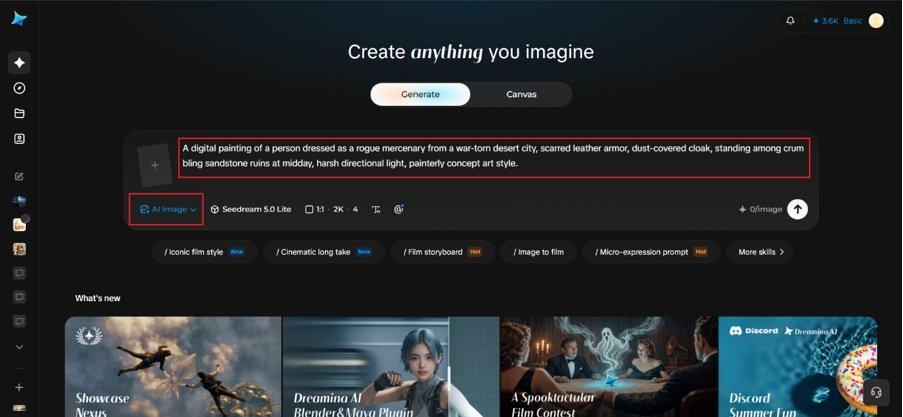
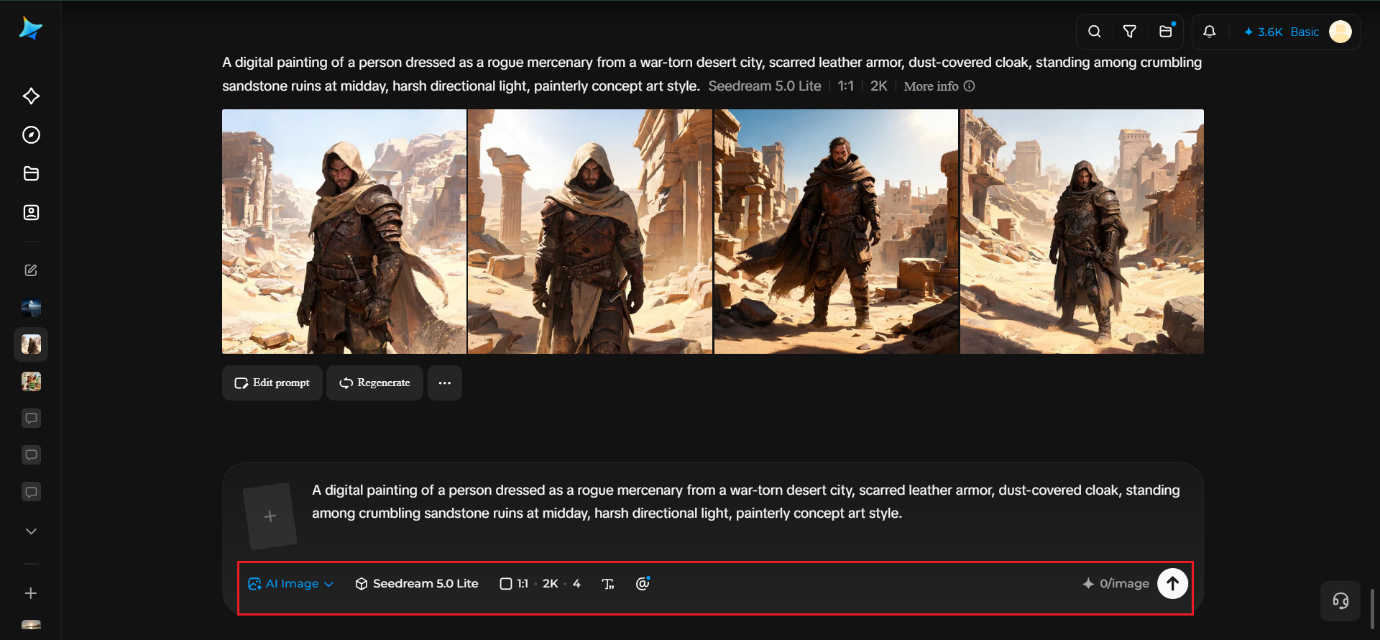
Step 2: Adjust parameters and generate
Select Image 5.0 Pro, built on Seedream 5.0 Pro, for rich atmospheric detail and consistent character rendering, then choose your aspect ratio, canvas size, and resolution — 1K for quick drafts, 2K for polished reference art. Click the generate icon and let Dreamina render your world.
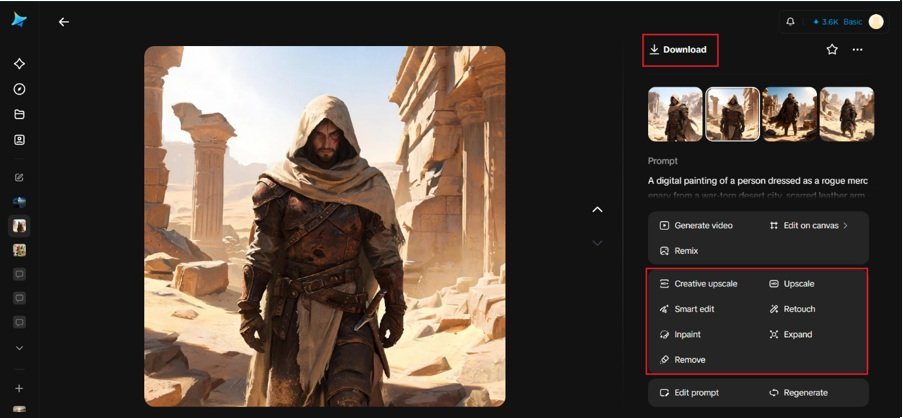
Step 3: Customize and download
Use Dreamina’s editing tools to refine the piece: inpaint to adjust costume or facial details, expand to reveal more of the surrounding setting, remove to eliminate anything that breaks the mood, and retouch for a final cohesive finish. Click Download once it matches your vision.
Understanding Dreamina’s model lineup
Dreamina gives creators access to a range of image generation models rather than locking everyone into one engine, and each has a slightly different personality when it comes to fictional worldbuilding.
Seedream 5.0 Pro, the most advanced model currently available, is particularly strong for character and setting work because of how well it maintains detail consistency across complex descriptions — costume, environment, and lighting all rendered together without losing coherence. It’s the model best suited to hero character portraits and key setting pieces where accuracy matters most.
Nano Banana offers faster generation, useful for quickly testing multiple character or location ideas before committing to a full detailed pass. GPT Image 2 is particularly good at following long, narrative-style prompts closely, which suits writers who tend to describe scenes the way they’d write them in a manuscript rather than as short visual tags.
Keeping a consistent world across multiple images
Fiction rarely lives in a single image — a full world needs characters, locations, and key objects all rendered with a shared visual language. To keep consistency:
- Reuse the same descriptive keywords for recurring materials and colors
- Reference earlier generated images when creating related scenes
- Keep a running style note describing your world’s overall aesthetic
Creating visual representations for key moments in the story
Once the visual identity of important characters and locations is defined, separate scenes can be helpful in creating an image of how the fictional world actually works. Come up with such moments like entering a forbidden city, finding an ancient gadget, fleeing from a burning forest, and appearing all by oneself in front of a great fortress, etc. Some details provided by the generated images can help you better understand the scene.
Every image created may serve as a visual checkpoint for the text: all images should include details on character’s clothing, surroundings, weather conditions, type and intensity of light, and emotional background, which will result in getting a realistic image covering more than just the action itself.
Repository of visual references from the described details of the world
Fictional worlds are managed better if all reoccurring details have their own visual representation. Therefore, instead of producing just characters’ images, generate images of various architecture, cars, weapons, houses, animals, symbols, mountains, etc.
This helps you to create a large library that can be referred to when revisiting a specific character or place. You may compile all visuals as per the location or characters in your world.
Beyond characters: bringing settings and objects to life
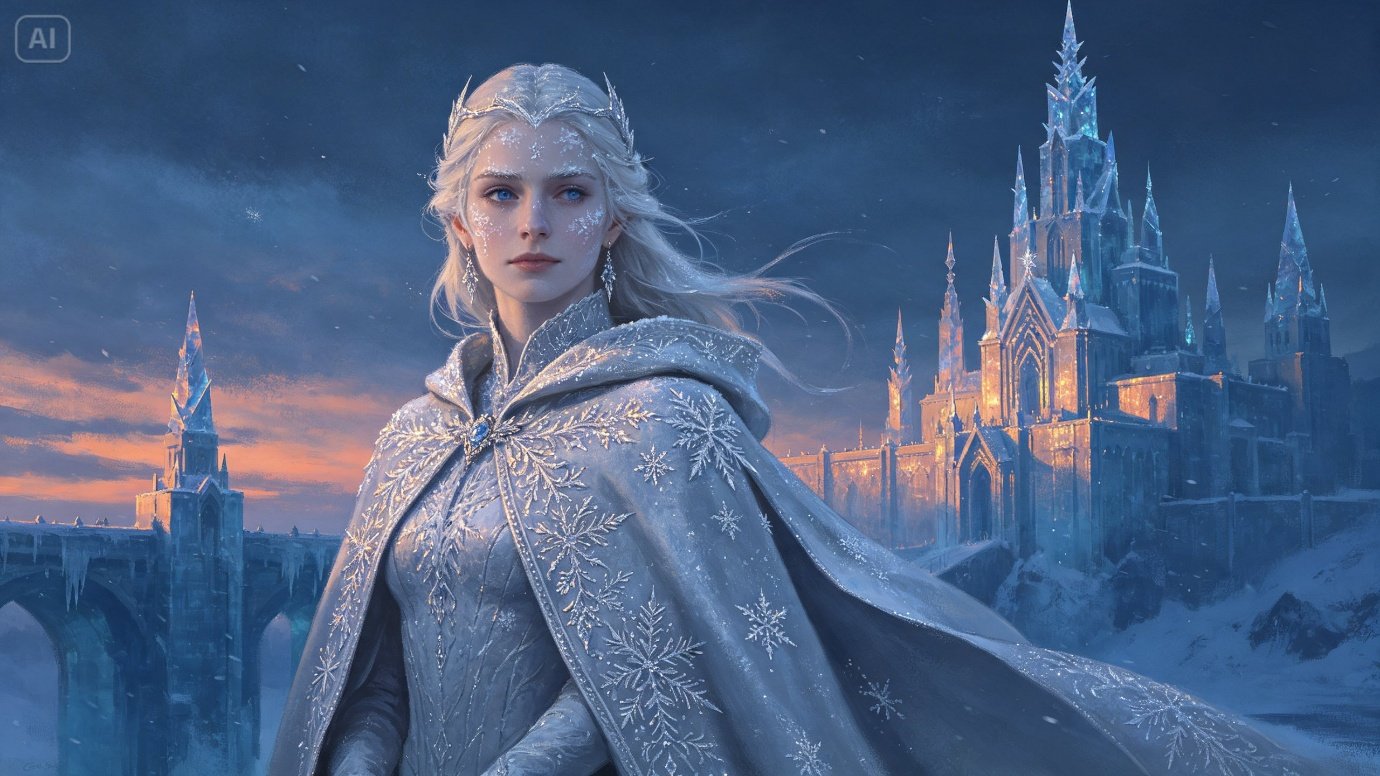
Worldbuilding art isn’t limited to portraits. Maps, key locations, and significant objects — a cursed sword, a floating city, a forbidden library — all benefit from the same treatment, giving readers and collaborators a fuller sense of the world beyond just its people.
Where these visuals get used
Concept art built this way supports a fiction project in several practical ways:
- Reference sheets for consistency while drafting
- Promotional art for book launches and crowdfunding campaigns
- Mood boards shared with editors, agents, or cover designers
- Fan engagement content for existing book series
Giving your world a face, finally
A story lives in a reader’s imagination, but as the person building it, you deserve to see it clearly too. With Dreamina and the narrative-aware precision of AI algorithms, turning pages of description into real visual concept art is free, fast, and often the moment a fictional world starts to feel truly real.